A few quick questions. I'll come back personally, one company at a time, US and UK.
Step 1 of 4
AI Agents · Practical Guide
How to Set Up AI Agents on Your Computer
A step-by-step, no-code guide to setting up AI agents on your computer: install Claude Code, give it memory and skills, build a team, and connect your apps.
September 08, 2026 · 15 slides AI AgentsClaude CodeNo-CodeSetup
A step by step guide for beginners. No coding, you just talk to the AI.
Bruno Ashford · September 8, 2026
What you'll learn
Set up your own AI agents on your computer, step by step, with no coding
What an AI agent is: an AI that runs on your computer, reads your files and does real tasks, not just chat.
How it works: you never write code, you talk in plain words, and the AI writes the setup files itself.
The plan
By the end, your AI will have memory, skills, a team of agents, and access to your apps
Install it on your computer.
Give it memory and skills.
Create a team of agents.
Connect it to your real apps.
Step 1
Install VS Code
First, install VS Code. It is the free app where you'll run everything.
Download VS Code from code.visualstudio.com and open its built in terminal.
The terminal is just a text box where you type to your computer. Nothing to fear.
Step 2
Install Claude Code
Now install Claude Code, the AI that runs on your machine.
In the terminal, install Node.js, then paste: npm install -g @anthropic-ai/claude-code. Type claude to start it.
This puts the AI on your computer. On the first run it opens your browser to log in once.
You need a paid Claude plan (Pro or higher) or an API key. The free chat plan does not include Claude Code.
Step 3
Open a folder
Next, point the AI at a folder. That folder is where it works.
Open any folder on your computer inside the tool.
It reads and edits the real files there. That is what makes it an agent.
Step 4
CLAUDE.md, its memory
CLAUDE.md is the file where the AI stores what it knows about you.
Say: remember that my business is X. It writes CLAUDE.md itself.
Without it, the AI forgets everything between chats.
Step 5
Skills, create and adjust
A skill is a saved instruction for a task. With Claude running, you create one just by asking.
Say: create a skill that writes a branded PDF. To change it later, say: adjust that skill to add our logo.
Claude writes and edits the skill file itself, so the task runs the same way every time.
Create: describe the task in plain words. Adjust: tell Claude what to change. Claude updates the file live, no code.
Step 6
Agents
An agent is one AI set up for one job. Each agent is its own file.
Say what the agent does: write, research, design. It creates the file.
Several agents work at the same time instead of one doing everything.
Quick recap
So far your AI has memory, skills and a team of agents, and you wrote no code. Two steps left.
Step 7
Commands
A command is a shortcut you type to run a saved instruction.
Say: save this as a command. Then call it any time.
You repeat a long task with one word.
Step 8
MCP, connect your apps
MCP connects the AI to apps like Gmail, Drive and your CRM.
Say: connect my Gmail, my Drive, my CRM.
Now it works inside your real tools, not only in files.
Key takeaway
You do not memorize these names. You ask in plain words and the AI makes the right file. The same setup works in Cursor, Codex CLI and Gemini CLI.
Recap
You set up a full AI system by talking, not coding
Installed VS Code and Claude Code.
Gave it a folder, memory (CLAUDE.md) and skills.
Created agents and saved commands.
Connected your apps with MCP.
What is next
Want this set up for your business?
I build the full agent setup for sales, marketing and operations. Next: the first 3 agents to build.
brunoashford.com
01 / 15
Click the slide or the arrows, or press ← →. Use the marker to highlight text and the pencil to draw on a slide for teaching; navigation locks so you do not switch by accident. Undo removes the last one, Esc exits. Fullscreen for a bigger view.
Screens to help you follow along
Step 1: the VS Code download page. Pick your system and install the free editor. SourceThe terminal is just a text box where you type commands to your computer. Nothing to fear.Step 2: after installing, you run claude and it opens this welcome screen, then logs you in once.Step 3: a folder is where your AI works. It reads and edits the real files inside it.
Step 1: the VS Code download page. Pick your system and install the free editor. Source
Key takeaways
An AI agent runs on your computer, reads your files and does real tasks, not just chat.
You never write code: you talk in plain words and the AI writes the setup files itself.
Install VS Code and Claude Code, then point the AI at a folder to work in.
Give it memory (CLAUDE.md) and skills, create a team of agents, and save commands.
Connect Gmail, Drive and your CRM with MCP. The same setup works in Cursor, Codex CLI and Gemini CLI.
FAQ
Do I need to know how to code to set up AI agents?
No. You talk to the AI in plain words and it writes the setup files itself, from memory to skills to agents.
What do I need to install?
VS Code, the free app where everything runs, and Claude Code. Claude Code needs a paid Claude plan (Pro or higher) or an API key.
What is CLAUDE.md?
The file where the AI stores what it knows about you and your business, so it does not forget between chats.
Does this work with other tools?
Yes. The same setup works in Cursor, Codex CLI and Gemini CLI.

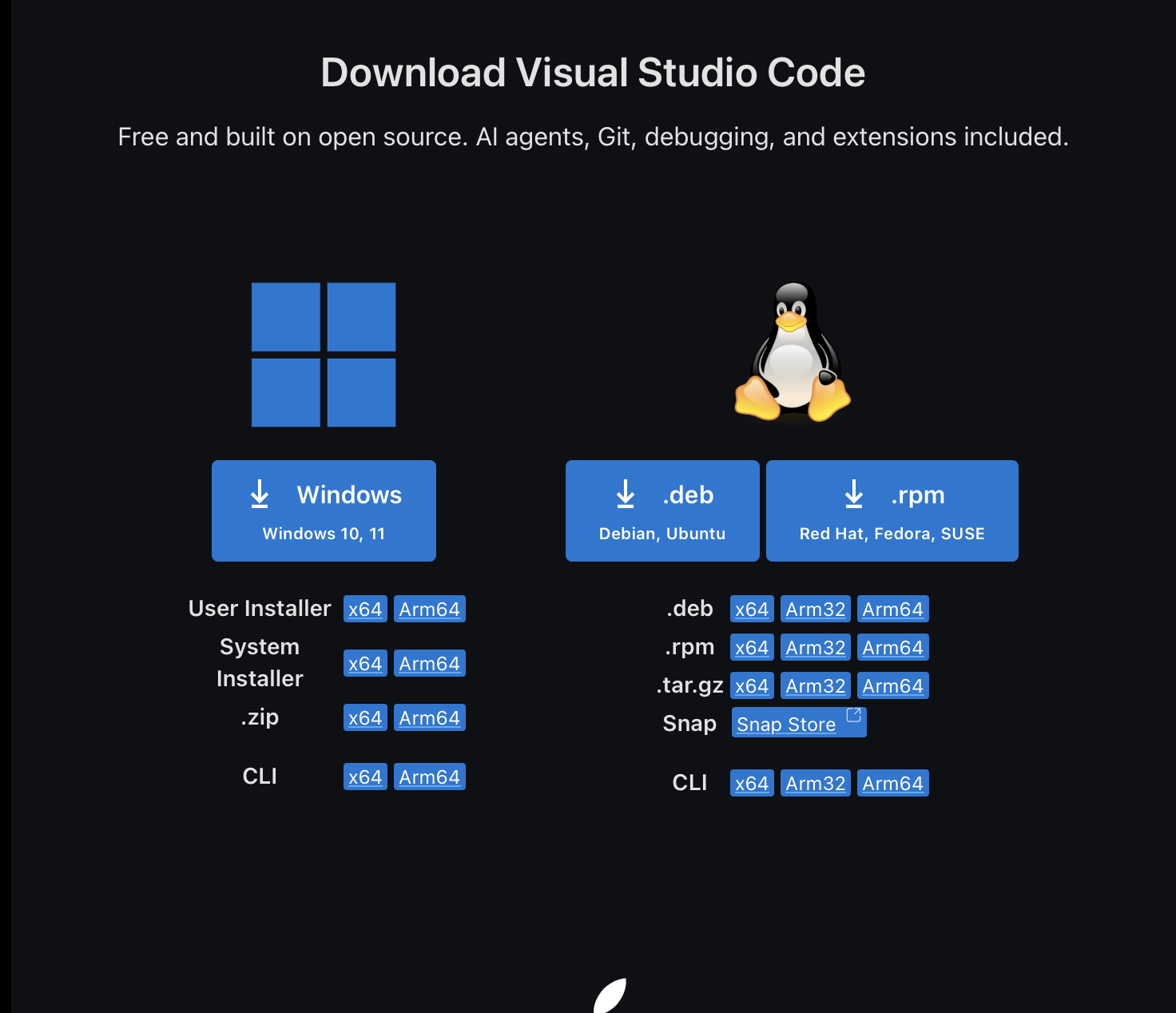 Step 1: the VS Code download page. Pick your system and install the free editor. Source
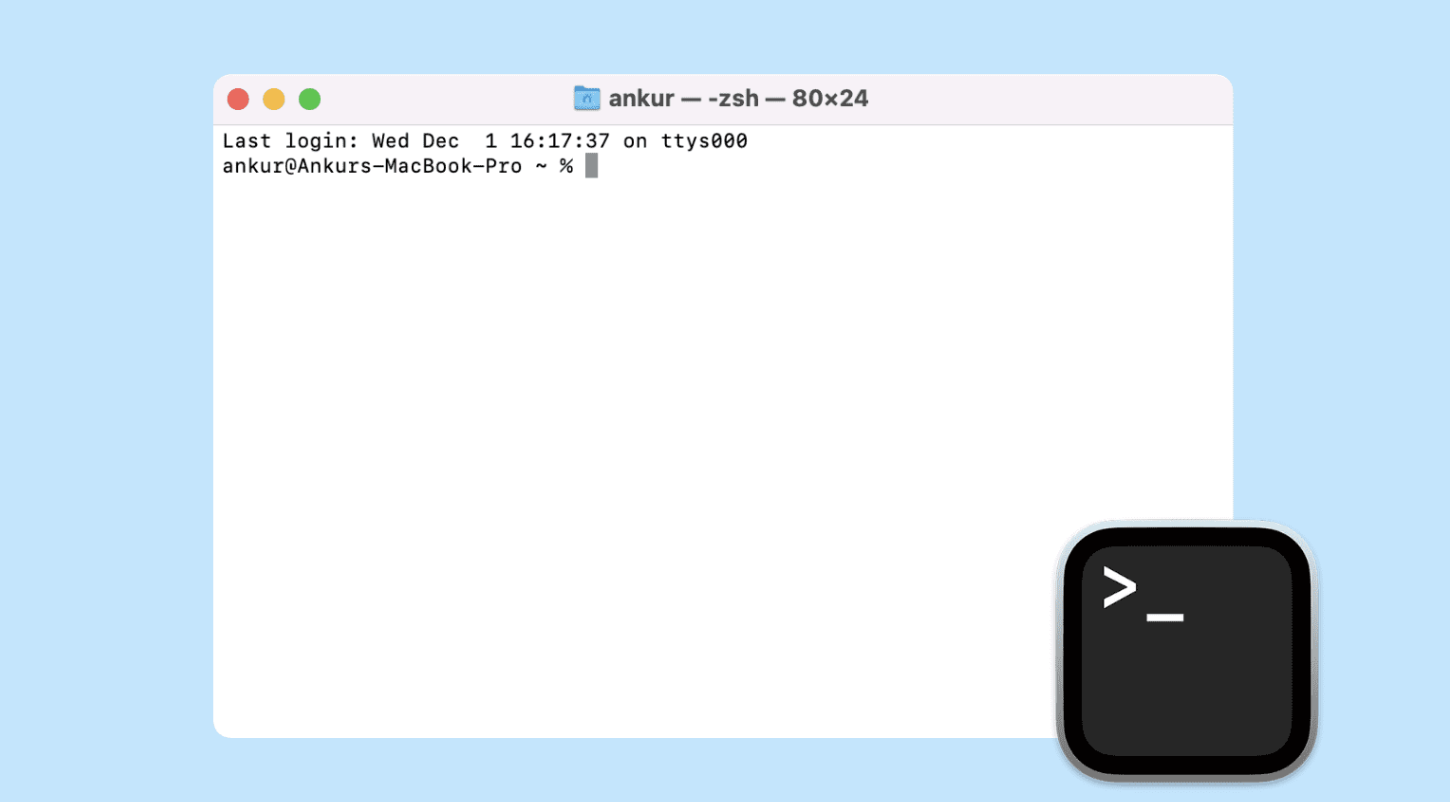 The terminal is just a text box where you type commands to your computer. Nothing to fear.
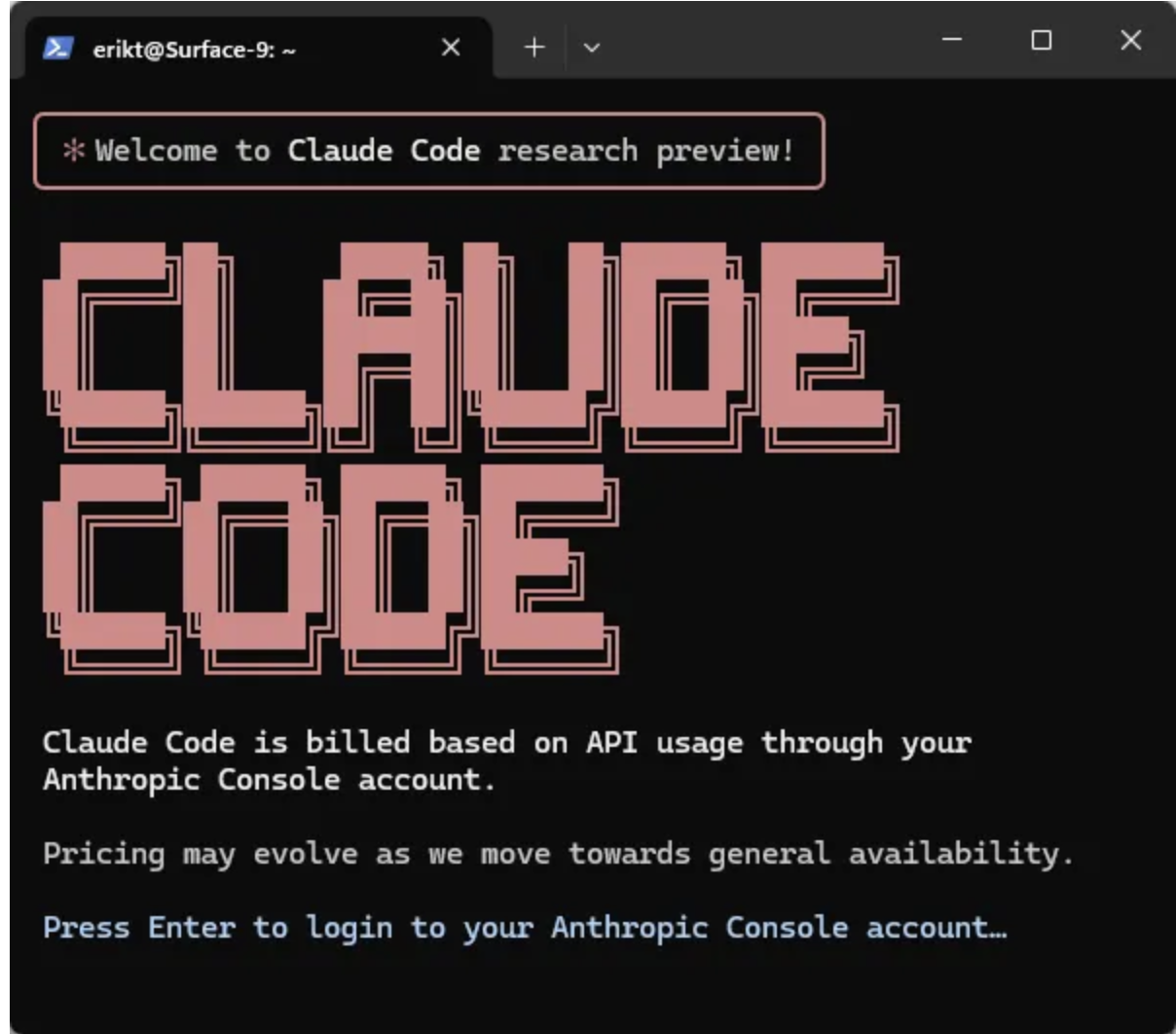 Step 2: after installing, you run claude and it opens this welcome screen, then logs you in once.
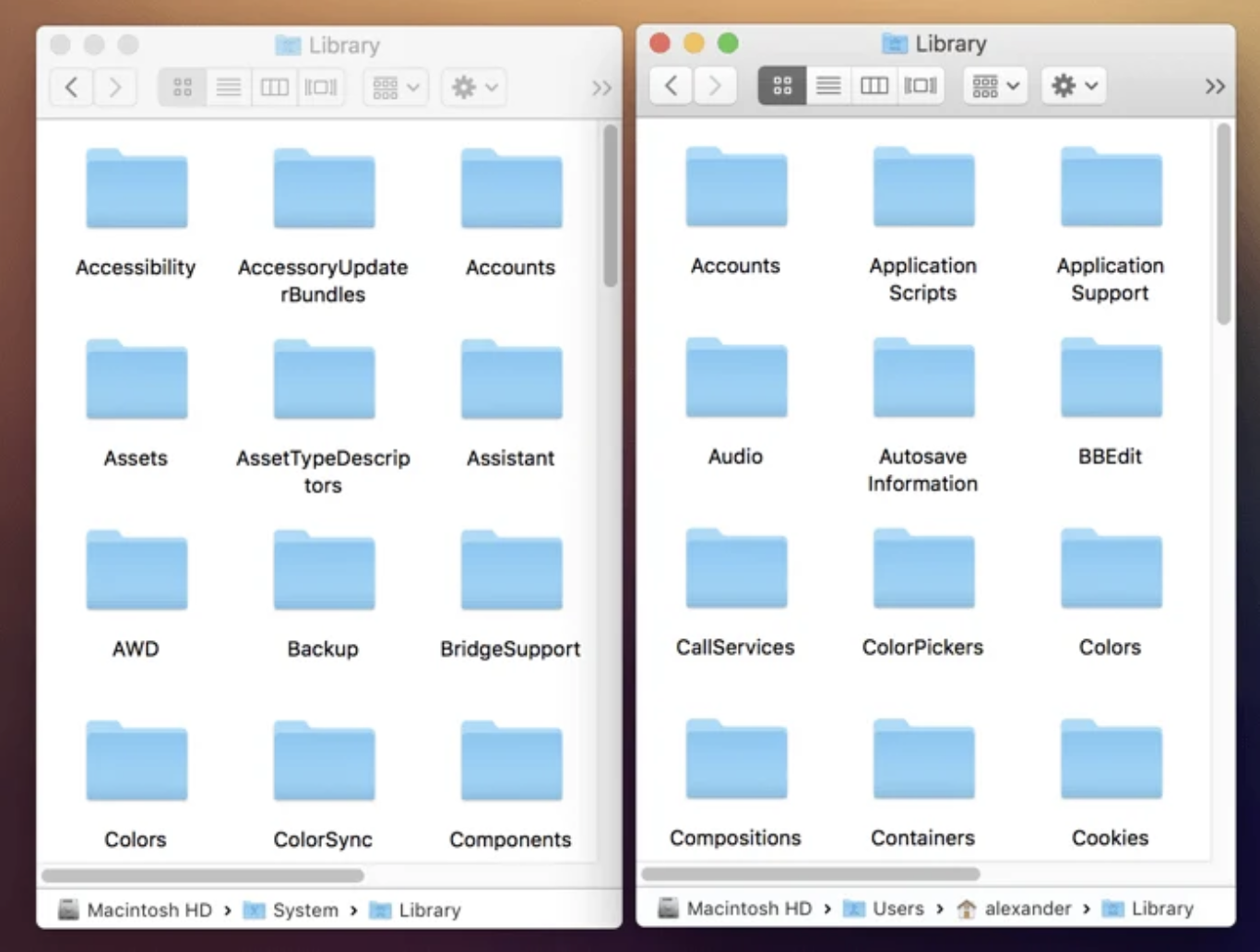 Step 3: a folder is where your AI works. It reads and edits the real files inside it.