
Face Photos: AI Headshots and Portraits From One Reference Face
Drop in one photo of a face, get a consistent set of profile pictures and portrait angles that actually look like the same person.

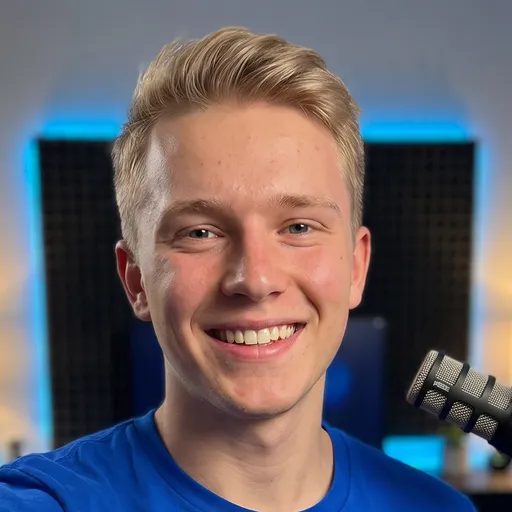
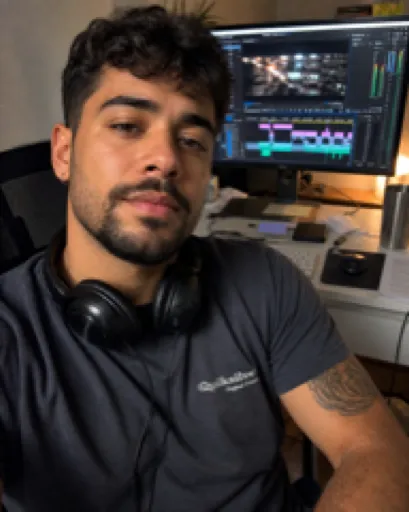
It takes one reference photo of a face and generates a consistent set of on-brand headshots and portrait angles that keep the same identity across every shot.
Any AI assistant that reads a SKILL.md file (Claude, Claude Code, Cursor, or Codex). No separate app, no subscription, and no API key to set up: you drop the file in and run it.
Works with







Face Photos is an AI headshot generator you run inside your own AI assistant. Instead of uploading your face to yet another web tool, you drop one SKILL.md file into Claude, Claude Code, Cursor, or Codex, give it a single reference photo, and it produces a consistent portrait set: a clean 1:1 profile picture plus a range of angles (three-quarter, side profile, arms crossed, hero shot) that all keep the same identity. It is built for people who want a professional headshot from a photo they already have, an on-brand AI portrait, or a fresh profile picture without booking a studio. The skill keeps the look consistent, asks before it does anything it needs from you, and lets you pick the winners.
- One reference face becomes a full set of headshots that all look like the same real person, not a stranger
- A ready-to-use 1:1 profile picture for LinkedIn, socials, bios, and speaker pages
- Multiple portrait angles from a single sitting: three-quarter, side profile, arms crossed, hand on chin, hero shot
- A consistent on-brand style (lighting, wardrobe, color mood) applied across every image
- No studio, no session, no scheduling: you generate whenever you need a fresh look
- You stay in control: it shows options and asks before generating a batch so you approve first
- 1Drop the skill into your AI assistant
Add the single SKILL.md file to Claude, Claude Code, Cursor, or Codex. There is nothing to install and no API key to configure. Your assistant reads it and the Face Photos workflow becomes available.
- 2Give it one reference photo of the face
Point the skill at a single clear photo of the person. That reference face is the anchor: it never invents a different face, so every image keeps the same identity.
- 3Tell it the look you want
Describe the style, wardrobe, and mood, or lean on the built-in on-brand defaults. Ask for a 1:1 profile picture, specific angles, or a mix. The skill confirms the plan with you first.
- 4It asks before anything it needs
If it needs a choice, more input, or your go-ahead on a batch, it pauses and asks rather than guessing. You approve before it generates at volume.
- 5It generates the consistent portrait set
The skill produces the headshots and angle variations while preserving the face, keeping it well lit, and holding the style steady across the whole set.
- 6You review and pick the winners
It lays out the results so you can compare side by side and choose the shots you want to use. Regenerate or refine any angle you are not happy with.
- A 1:1 square profile picture ready for LinkedIn, socials, and bios
- A set of portrait angles (three-quarter, side profile, arms crossed, hand on chin, hero shot) from the same face
- On-brand headshots with consistent lighting, wardrobe, and color styling
- A comparison set so you can pick your favorites before publishing
- Image files saved and organized for reuse across your channels
Profile picture only
Ask just for the clean 1:1 headshot when all you need is a sharp new profile photo for LinkedIn, a website, or a social account.
Full angle pack
Request the complete range of portrait angles in one go for a website about page, a media kit, or a speaker profile that needs variety.
Brand-matched look
Feed it your color mood and wardrobe direction so the whole set matches your personal or company brand instead of a generic studio style.
SKILL.md · README.txt · LICENSE.txt — Single-seat commercial use. Do not resell or redistribute the file. Compatible with Claude, Claude Code, Cursor, Codex.
What is the Face Photos skill?
It is a SKILL.md file that turns your AI assistant into an AI headshot generator. You give it one reference photo of a face and it produces a consistent set of headshots and portrait angles that keep the same identity across every image.
Does it work with Claude, Cursor, and Codex?
Yes. It runs inside any AI assistant that reads a SKILL.md file, including Claude, Claude Code, Cursor, and Codex. The workflow is the same wherever you run it.
Do I need to install anything or set up an API key?
No. There is no separate app to install, no subscription, and no API key to configure. You drop the SKILL.md file into your assistant and run it.
Will the headshots actually look like the person?
Yes. The skill uses your single reference photo as the anchor and never swaps in a different face, so the profile picture and every angle stay recognizable as the same person.
Do I need design or coding skills to use it?
No. You describe the look you want in plain language, approve the plan, and pick your favorites. The skill handles the generation and keeps you in control with a confirmation step before it produces a batch.
Can I get a LinkedIn profile picture and other angles from the same photo?
Yes. From one reference face it can produce a 1:1 profile picture for LinkedIn plus a range of angles (three-quarter, side profile, arms crossed, hero shot) in a single consistent set.
An AI skill is a small, reusable instruction file (a SKILL.md) that teaches an AI assistant to do one job well. Face Photos is exactly that: a Claude skill / AI agent skill you drop into your own assistant and run on demand, with no app, no subscription and no lock-in. You own the file forever.
It runs in Claude, Claude Code, Cursor, Codex and any assistant that reads a SKILL.md or a system prompt. Because it is just text, it is fully portable, and if it needs something to run, face photos asks you for it first instead of inventing.
Creators reach for it as a podcast clips AI and an AI podcast clip generator, to turn a podcast into Shorts and to pull podcast highlights automatically, finding the best podcast moments without scrubbing the whole episode.
- Download the file after checkout you get the SKILL.md plus a short README and your license.
- Add it to your AI drop SKILL.md into your skills folder (for example
.claude/skills/) or paste its contents as a custom instruction. - Run it ask your AI to use Face Photos, give it what it asks for, and it does the work.
Get this skill plus every other one in a single agent bundle, ready to drop into your AI.
Ready to run Face Photos?
Face Photos
It takes one reference photo of a face and generates a consistent set of on-brand headshots and portrait angles that keep the same identity across every shot.
SKILL.md (plain text, nothing runs on your machine) plus a README and your license.Checkout opens soon. Get early access and I will send you the link the moment it is live.
✓
You are on the list.I will email you the moment it is live.
